FACEBOOK STORY VIEWER
Speed, simplicity, privacy and versatility of high-resolution downloading quality like HD, FHD and 4K has made this Facebook Story Viewer tool will smoothen your experience of exploring stories without revealing your identity and also quickly save a photo or video.
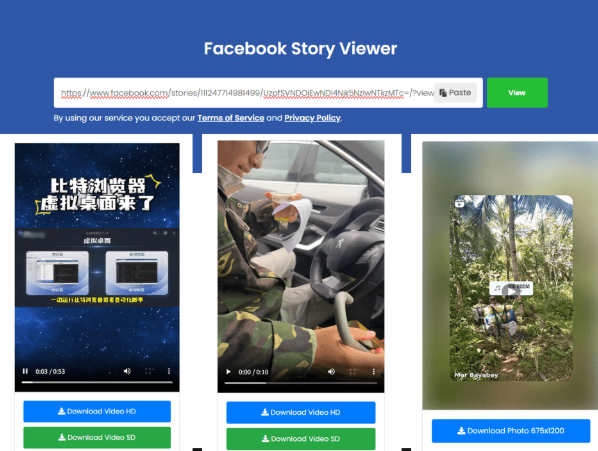
Your Facebook Story is ready
Preview the available media below, then use the download button to save a permitted copy.
How to download a Facebook Story
Use a Facebook profile link or the complete link for a specific Story.
Copy the Story link
Open the Facebook Story and copy its complete link from Facebook’s share or options menu.
Paste the URL
Paste the Story URL into the field above, confirm permission, and select Download.
Preview & download
Review the returned photo or video and save the supported file directly from your browser.
Only download Stories you own or have permission to save. Removed, expired, restricted, or unsupported Stories may be unavailable.
FACEBOOK STORY VIEWER
You can view Facebook stories by staying behind the scenes with the help of this tool as it never asks to sign in to Facebook. Your viewing activity is not tied to your Facebook account and it would not show up in the creators “Seen by” list which supports of you being anonymous and catch up someone’s latest activity along with brand’s public content. This tool enables you to view and download them for offline viewing on your device like mobile/tablet/laptop without the need of installation of any external applications. Moreover, it is very easy to use this tool as you just need to copy the link of the user profile or your researched public page and paste it into the address field.
Speed, simplicity, privacy and versatility of high-resolution downloading quality like HD, FHD and 4K has made this Facebook Story Viewer tool will smoothen your experience of exploring stories without revealing your identity and also quickly save a photo or video.
Steps to View Facebook Stories discreetly:
STEP 1. COPY THE LINK
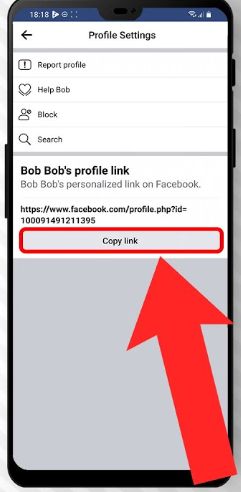
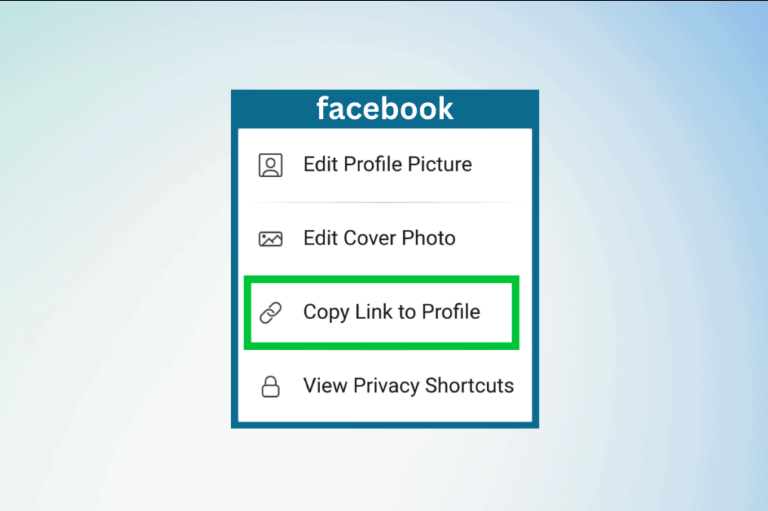
Open the Facebook app and navigate to the profile or page you want to access. Tap the three-dot menu to open the available options. From there, choose Share profile, then select Copy Link to save the profile or page URL to your clipboard.
STEP 2. PASTE THE LINK
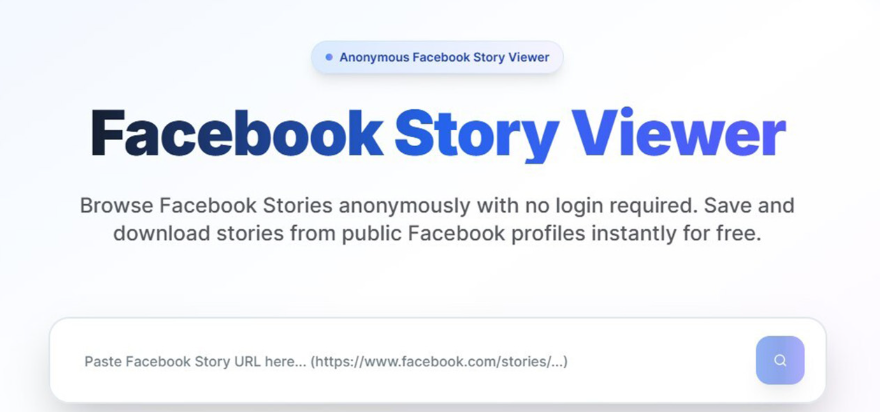
Come back to this page and paste the copied URL into the designated input field. Once the link is in place, click View icon to proceed.
STEP 3: VIEW AND DOWNLOAD STORIES
Facebook Story Viewer processes the Facebook link within moments, giving you quick access to the available Stories. From there, you can view them directly or download the ones you want to keep on your device.
Why Choose Facebook Story Viewer?
Keep Your Viewing Private
Want to check a Facebook Story without putting your profile in the spotlight? Facebook Story Viewer lets you browse Stories without signing into your Facebook account, helping keep your viewing activity separate from your personal profile.
Quick Access, Zero Complication
Forget lengthy steps and unnecessary registrations. Simply copy a Facebook profile or page link, paste it into the viewer, and access the available Stories in just a few moments.
Free to Use, Whenever You Need
There’s no subscription required to use the Facebook Story Viewer. Browse available Stories without worrying about monthly or yearly plans.
Save Photos, Videos & Audio
Found something you want to revisit? The viewer can help you save available Story photos, videos, and audio for offline access. Where supported, downloads can be available in HD, FHD, or 4K, without any trace or watermark.
One Viewer, Every Screen
Use the Facebook Story Viewer from virtually any of your device. Whether you're browsing on an iPhone, Android smartphone, Windows PC, or Mac, no need of separate app or extension.
Built for Speed
Nobody wants to wait around for a Story to load. The viewer is designed to process submitted Facebook links quickly, so you can get to the available content without unnecessary delays.
Straightforward from Start to Finish
The experience stays intentionally simple: copy the link → paste it → view the available Stories. No complicated interface or lengthy setup stands between you and the content you're looking for.
No Facebook Login Needed
Your Facebook credentials aren't required to use the viewer. By keeping the process totally separate from your Facebook account, the tool provides a more anonymous way to access publicly available Story content.
No Installation Required
There’s nothing to download before you begin. Open the Facebook Story Viewer in your browser, enter the relevant link, and you're ready to go.
Supported Story Types
The Facebook Story Viewer supports several Facebook Story formats. Here’s a quick look at what each type means and how you can access it.
Facebook Highlights
Highlights are saved Story collections displayed on a profile. They can feature trips, celebrations, or milestones and remain available beyond the usual 24-hour Story period.
MyDay Stories
MyDay is an older Facebook term for Stories. These temporary posts generally remain visible for 24 hours before disappearing, depending on the poster’s privacy settings.
Public Stories
Public Stories are shared with an audience that can include anyone. They’re commonly posted by creators, brands, and public profiles and can be viewed without being friends.
Profile Stories
Profile Stories are posted directly by individual Facebook users. Their visibility depends on privacy settings, so only Stories accessible to you can be retrieved through supported links.
Page Stories
Page Stories are published by businesses, organizations, creators, and media Pages. They often highlight announcements, promotions, products, events, or other timely updates.
Frequently Asked Questions:
How to use this tool on iPhone/iPad?
- Copy the Facebook profile or page link: Open the Facebook app and find the profile or page whose Stories you want to check. Tap the three-dot menu, choose Share profile, and select Copy Link.
- Open Facebook Story Viewer: Launch your preferred web browser and visit Facebook Story Viewer website. From the website’s top navigation menu, select Story Viewer.
- Enter the copied URL: Paste the Facebook link into the provided input box, then hit the View button to start processing.
- View or save the Stories: This tool will handle the submitted link within a few moments. Once the results appear, you can view the available Facebook Stories or download individual photos and videos directly to your device.
📁 Finding your downloaded videos on iPhone/iPad:Open the Files app and follow this path: iCloud Drive → Downloads. Your downloaded video files should be available there.